 Study
Study Snap your timetable.
AI builds your week.
Take a photo, upload a PDF or paste text. Review the classes the AI found, then save. No typing every lecture by hand.
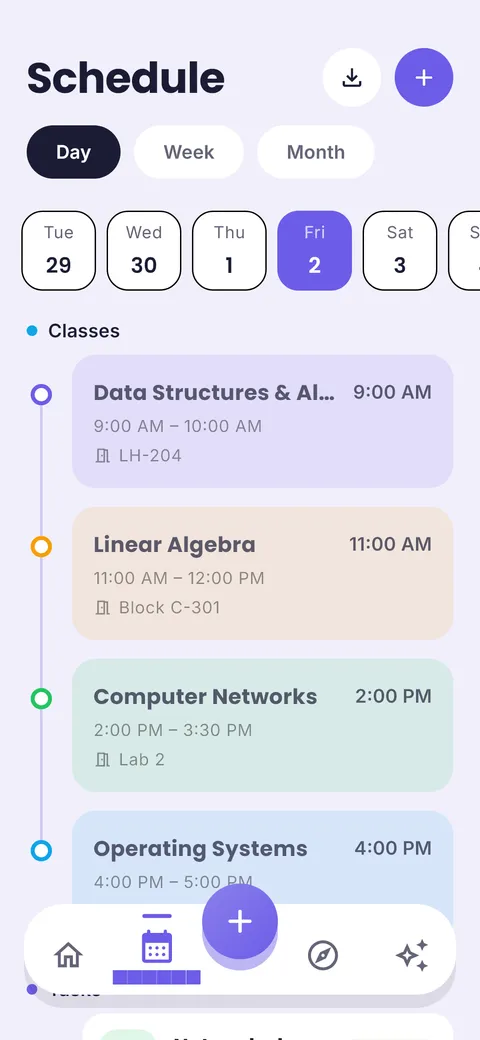
Put your timetable, homework and exams in one calm plan. Build it free in your browser, or let the ClassTrack app read your timetable from a photo and remind you what to study next.
No sign-up for the web tools. Android app is free on Google Play; iPhone is coming soon.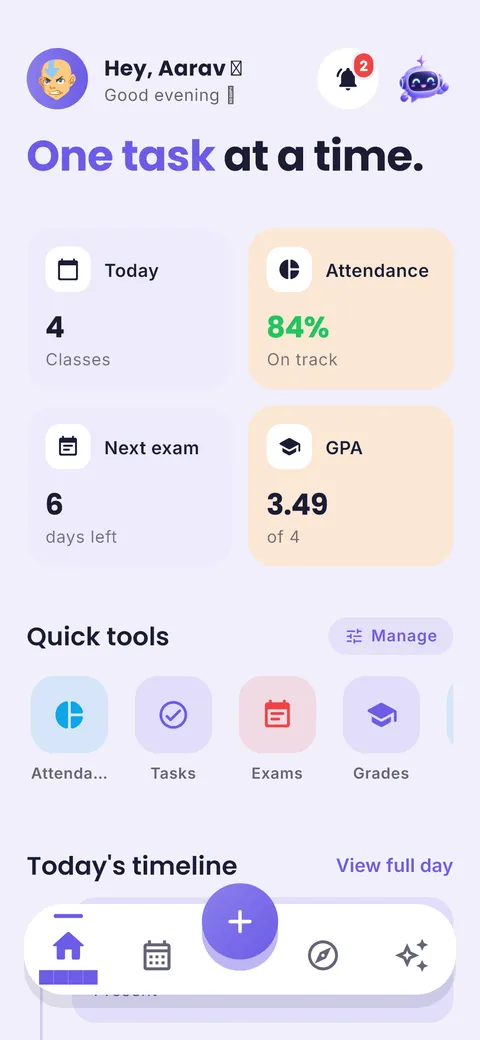

Most students juggle a timetable photo, a notes app, a calendar and sticky notes. A study planner replaces all four.
Snap, upload or paste your class timetable and get a weekly schedule you can edit.
Every exam gets a live countdown, so revision starts on time, not the night before.
Split a syllabus into topics and spread it across the days you have left.
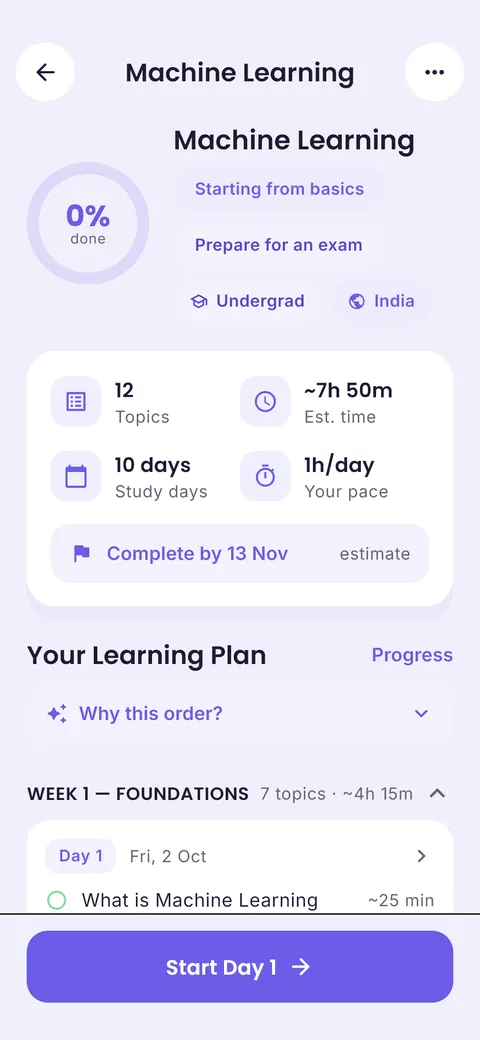
No more typing every lecture. Take a photo, upload the PDF or paste the text, and ClassTrack’s AI finds every class, day, time and room. 2 scans are free.
A photo of the noticeboard, the PDF from your portal, or text.
Subjects, days, times and rooms, usually in seconds.
Fix anything, tap save. Your week and reminders are ready.
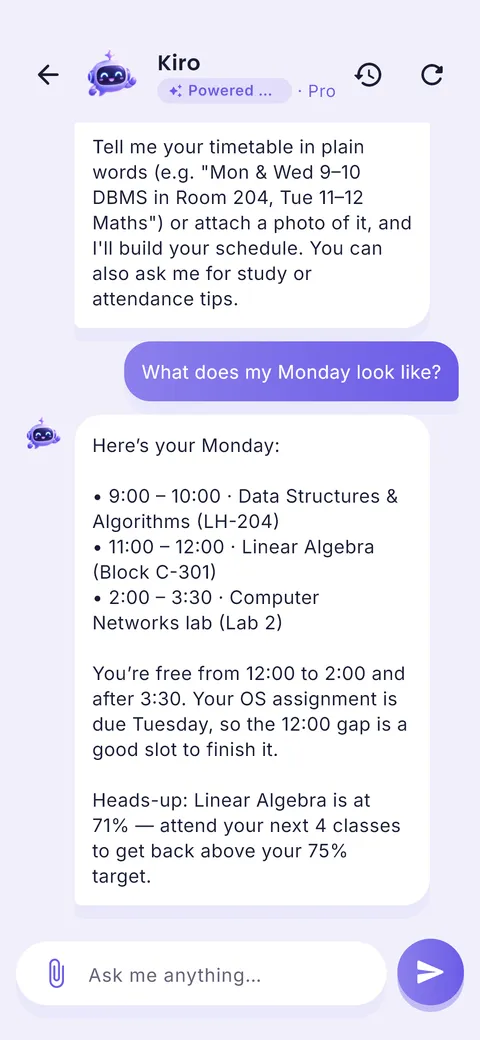
The assistant knows your real classes, tasks and exams. Ask what is due, when your next exam is, whether you can skip a class, or for a study plan that fits your evening.
Try the demo: it uses a sample student’s week.
“I built ClassTrack because my week lived in five different apps and I still missed deadlines. A plan you can see in one glance is the difference between studying and worrying about studying.”
— Prince Kumar, founder of ClassTrack
Find me at princelabs.me · hello@princelabs.me
free planning tools that run in your browser
free AI timetable scans in the app
to plan classes, homework and exams
Pick one and we will point you to the right planner or free tool.

Count down to every exam and get a day-by-day revision plan that leaves time for mock tests.
Open the exam planner →Example plans students build with the generator. Pick one, change the dates, and it is yours.
Everything a student planner needs, on your phone, with reminders that reach you.
Take a photo, upload a PDF or paste text. Review the classes the AI found, then save. No typing every lecture by hand.
Assignments, to-dos and events grouped by Overdue, Today and Next 7 days, with reminders before they are due.
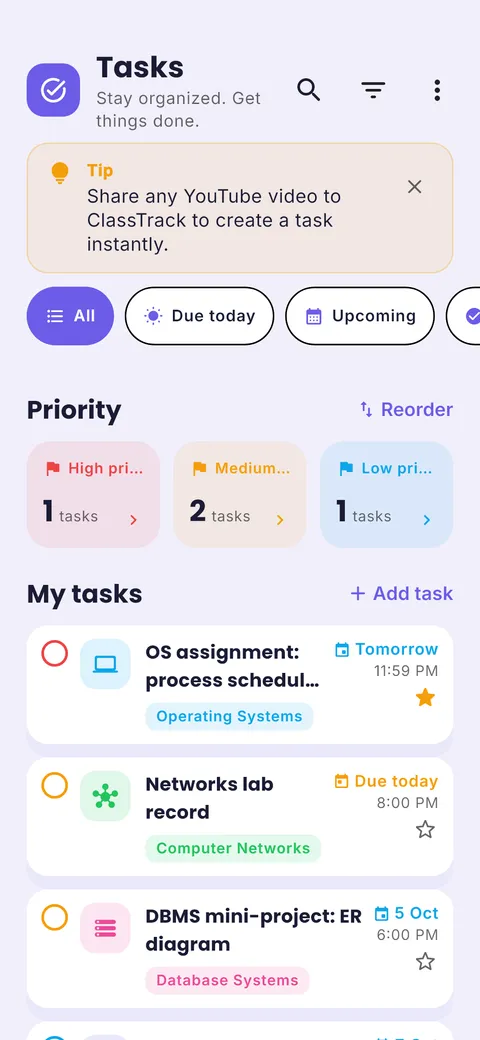
Tell the AI what you need to learn. It splits it into topics, estimates time and spreads the work up to your date.
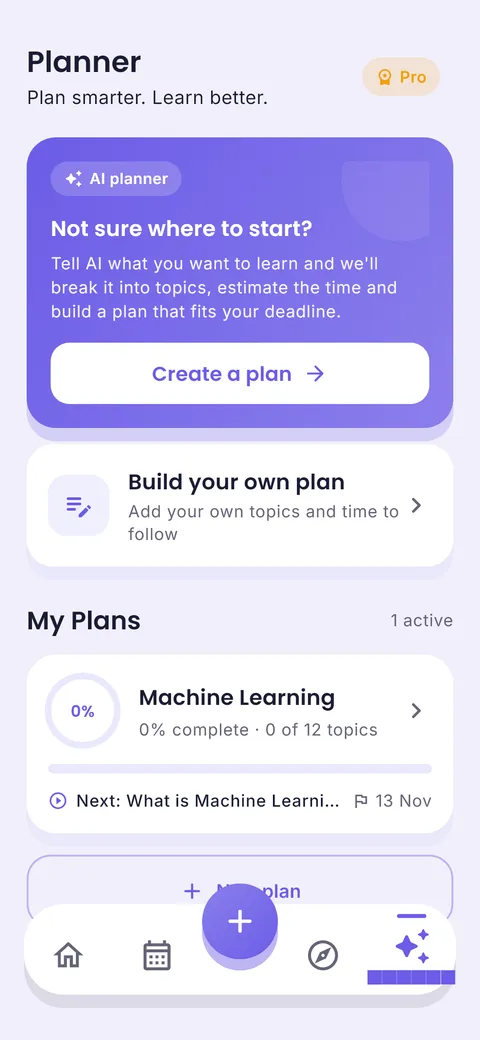
Get a revision schedule, break down a syllabus or ask for study tips. It knows your real classes and exams.
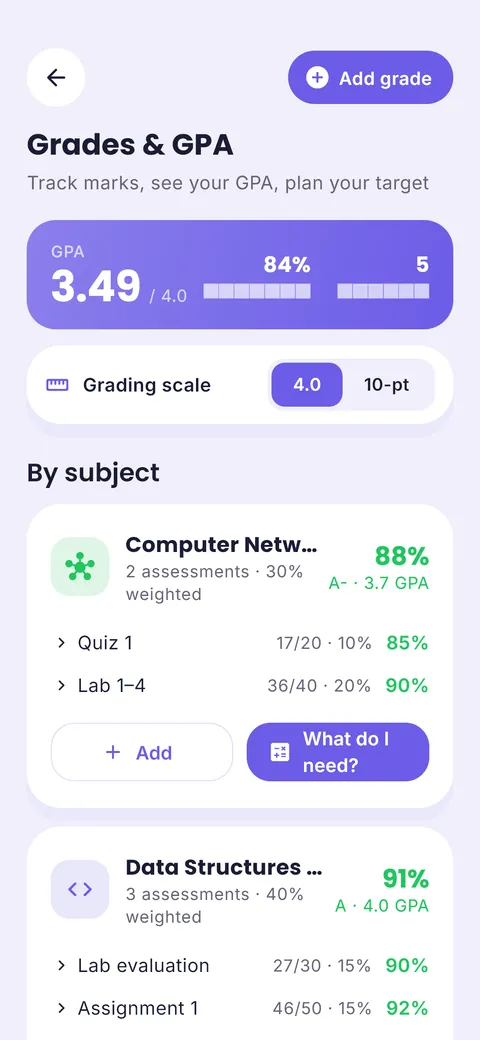
Log marks and see your GPA update, plus the score you need on the next test to hit your target.
Scientists have studied how students remember since the early 1900s. Here is what holds up, and how a planner helps you use it.
Students who practised recalling a text, instead of rereading it, remembered far more of it a week later. Rereading only felt more effective.
A review of ten popular techniques gave its top rating to just two. Spreading study over time was one of them; highlighting and rereading were rated low.
Both top techniques need one thing: a plan made days or weeks before the exam. That is the job a study planner does.
of a text recalled after one week by students who practised recalling it*
recalled by students who only reread it the same number of times*
study techniques rated “high utility”: practice testing and spacing**
* Roediger, H. L. & Karpicke, J. D. (2006). Test-enhanced learning. Psychological Science, 17(3), Experiment 2: four study periods vs one study period plus three recall tests, final test after one week. ** Dunlosky, J. et al. (2013). Improving students’ learning with effective learning techniques. Psychological Science in the Public Interest, 14(1). These are research results, not ClassTrack user data.
Works with the tools you already use
Use them in your browser today. Print or save the result.
Turn subjects and an exam date into a day-by-day study timetable with built-in revision.
Make a colour-coded weekly class timetable, print it, or add it to Google Calendar.
See days and study days left for every exam, plus the hours you need per day.
A distraction-free 25/5 focus timer with long breaks and a session counter.
Work backwards from a due date and get a dated plan for every step.
Calculate GPA on a 4.0 scale or SGPA/CGPA on a 10-point scale with credits.
Convert CGPA to percentage (and back) with CBSE, AICTE and ×10 formulas.
Check your attendance percentage and how many classes you need to reach a target.
Practical, research-backed, and written for real student weeks.
Set up a study planner app in 20 minutes: timetable, exams, homework and a study plan. For high school, college and university students anywhere.
Read guide Reviews · 13 minThe best study planner apps of 2026 compared on timetable, exams, AI, platforms and price, with the best pick for school, college and exam prep.
Read guide Planning · 9 minA 7-step method for building a realistic weekly study timetable, with a free template.
Read guideThe best study planner is the one you open every day. ClassTrack is a free study planner app for Android that keeps your class timetable, homework, exam countdowns and study plan in one place, with reminders. If you only need a quick plan, the free study plan generator on this site works in your browser with no sign-up.
List your subjects and exam dates, block out fixed commitments (classes, travel, sleep), pick 2–4 realistic study blocks per day, give harder subjects more blocks, and leave the last 20% of the time for revision and practice tests. Our 7-step guide walks through it, and the generator does the maths for you.
Yes. The study planner, timetable, exam countdowns, homework list, grades and reminders are free. The free plan also includes 10 AI messages a month, 2 AI timetable scans and 2 AI learning plans. ClassTrack Pro removes those limits and adds extras like notes, flashcards and a daily Google Calendar import. See pricing.
Yes. In ClassTrack you can take a photo of your printed timetable, upload a PDF or paste the text. The AI reads subjects, days, times and rooms and builds a weekly class schedule you can review and edit before saving.
ClassTrack is available now on Android through Google Play. The iPhone version is coming soon: and we will email you on launch day. All the free tools on studyplanner.tech already work in Safari on iPhone.
The tools run entirely in your browser. Nothing you type is sent to our servers. Some tools remember your last inputs on your own device (local storage) so you can come back to them; you can clear this any time from your browser.
Read the full FAQ or contact the team. A real person replies, usually within two working days.