Study
Study The timetable app that reads your timetable for you.
Take a photo of the noticeboard, upload the PDF from your college portal or paste the text. AI finds every class, day, time and room. You review, then save.
Free on Android · iPhone coming soon · Updated 20 October 2026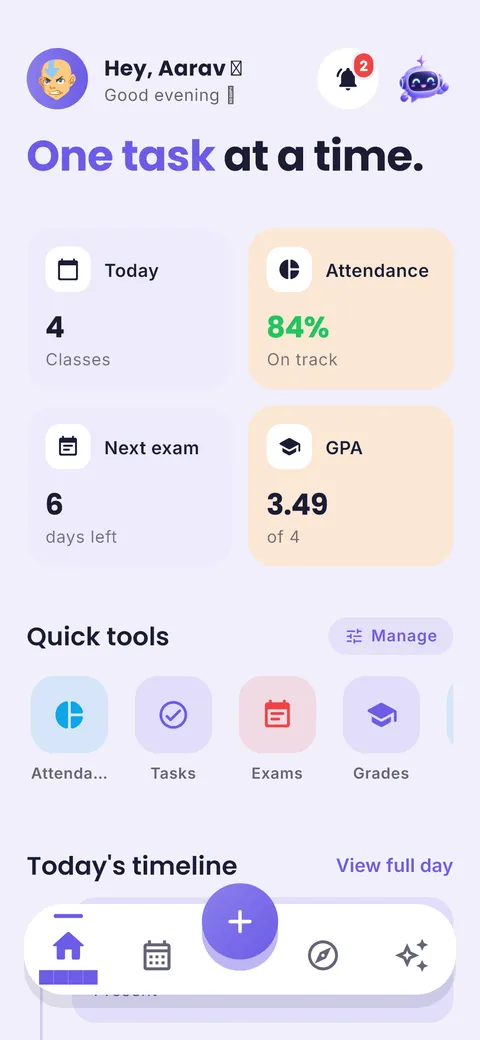
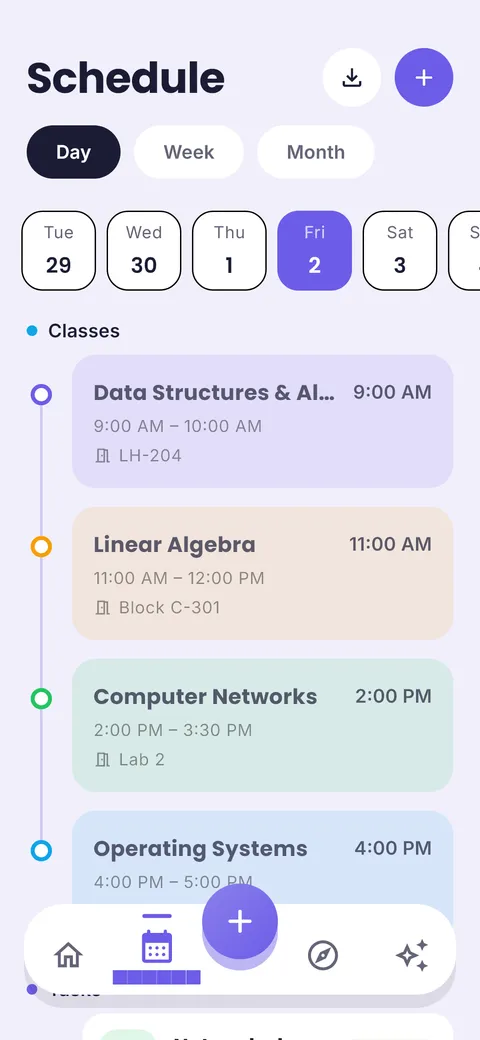

AI timetable import, step by step
From a photo of your timetable to a full week with reminders, in under a minute.
Snap, upload or paste
A photo of the noticeboard, the PDF from your portal, or text.

AI reads every class
Subjects, days, times and rooms, usually in seconds.
- Data Structures Mon, Wed 9:00
- Linear Algebra Mon 11:00, Tue 9:00
- Computer Networks Wed 11:00 + Tue lab
- Operating Systems Tue 11:00, Wed 2:00
Review, then save
Fix anything, tap save. Your week and reminders are ready.
What is a timetable app?
A timetable app stores your weekly class timetable on your phone: subject, day, start and end time, room and teacher. It shows what is next, reminds you before class, and lets you handle changes like extra or cancelled classes without rewriting the whole week. Some timetable apps, like ClassTrack, can create the timetable automatically from a photo or PDF using AI.
What you get in the timetable app
AI timetable import
Photo, PDF or pasted text becomes a weekly schedule. Two free scans; unlimited with Pro.
Review before saving
Every class the AI finds appears as a draft you can fix, so mistakes never sneak in.
Colour-coded subjects
Each subject gets its own colour, used across the timetable, tasks and grades.
Rooms, teachers & links
Keep the room number and the online class link right on the class.
Class reminders
Get a reminder before each class starts.
Home-screen widget
Today’s classes and tasks without opening the app.
How to use it in 4 steps
- 1
Open Import timetable
Choose camera, PDF or paste text.
- 2
Let AI read it
It extracts subjects, days, times and rooms, usually in seconds.
- 3
Check the draft
Fix anything that looks off. Nothing is saved until you confirm.
- 4
Done for the term
Classes repeat weekly. Add one-off changes as they happen.
Get a clean AI import
Photograph the timetable straight on, in good light, with the whole grid in frame. If your college shares a PDF, upload that instead: it gives the most accurate result.
Tip from Prince Kumar, founder of ClassTrack
Paper planner vs calendar app vs ClassTrack
| Feature | Paper planner | Generic calendar app | ClassTrack |
|---|---|---|---|
| Setup time | Copy by hand | Enter each class | Photo, then review |
| Reads PDFs & photos | No | No | Yes |
| Rooms & class links | Partly | Yes | Yes |
| Reminders | No | Yes | Yes |
| Connected to homework & exams | No | No | Yes |
Comparison of typical features. Paper planners are still great for people who like writing by hand; many students use both.
Free tools for this
No sign-up. Works in any browser.
Free Study Plan Generator
Turn subjects and an exam date into a day-by-day study timetable with built-in revision.
Open tool →Free Online Timetable Maker
Make a colour-coded weekly class timetable, print it, or add it to Google Calendar.
Open tool →Attendance Calculator
Check your attendance percentage and how many classes you need to reach a target.
Open tool →Frequently asked questions
What is a timetable app?
A timetable app stores your weekly class timetable on your phone: subject, day, start and end time, room and teacher. It shows what is next, reminds you before class, and lets you handle changes like extra or cancelled classes without rewriting the whole week. Some timetable apps, like ClassTrack, can create the timetable automatically from a photo or PDF using AI.
Can an app make a timetable from a photo?
Yes. ClassTrack uses AI to read a photo, PDF or pasted text of your timetable and turn it into a weekly class schedule you can review and edit.
How many timetable scans are free?
The free plan includes 2 AI timetable scans. ClassTrack Pro includes unlimited scans.
What if the AI gets a class wrong?
Every imported class is shown as a draft first. You can edit, delete or add classes before saving, and change them later at any time.
Is there a free online timetable maker?
Yes. Our timetable maker runs in your browser, needs no sign-up and lets you print the result or add classes to Google Calendar.
Still have a question?
Read the full FAQ or contact the team. A real person replies, usually within two working days.
Related guides
Other planners
- Student planner: Classes, homework and exams in one app
- Schedule planner: Plan your week, day by day
- AI study planner: A study plan built around your deadline
- Exam planner: Countdowns and revision plans
- Homework planner: Assignments with due dates and reminders
Take your plan with you.
Free on Android. ClassTrack keeps your timetable, homework, exams and study plan in one place, with reminders.