Study
Study An exam planner that starts revision before the panic does.
Add every exam once. See the days left, get a revision plan that fits, and spread the work so the last week is for practice, not first reads.
Free on Android · iPhone coming soon · Updated 20 October 2026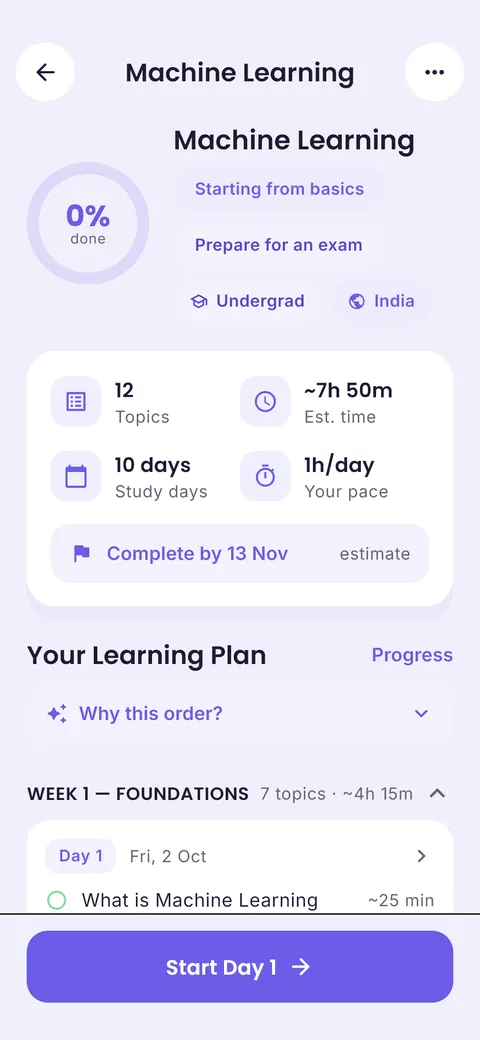

Ask your planner, get answers
“Am I free today?” “What is due this week?” “When is my next exam?” The ClassTrack assistant answers from your own timetable, tasks and exams.
Interactive demo with a sample student’s week.
What is an exam planner?
An exam planner lists your exam dates and turns the time before them into a revision timetable: which subject and topic to revise on which day, when to do practice papers, and when to rest. A good exam planner uses spaced revision (coming back to each topic several times) rather than one long cram at the end.
What you get in the exam planner
Countdown for every exam
See exactly how many days are left for each paper.
Revision plans
Use AI learning plans or build your own topic list per subject.
Exams on your timetable
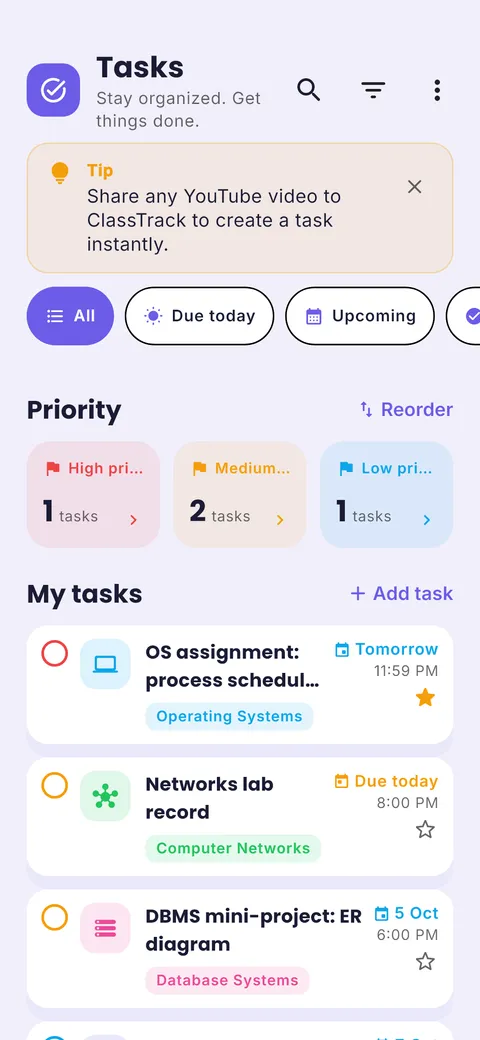
Exams sit next to classes and homework, so busy weeks are obvious early.
Exam prep assistant
Ask for a revision schedule, practice questions or a plan for the final week.
Notes & flashcards
Turn lecture notes into flashcards and study a whole deck before the exam (Pro).
Target scores
See the mark you need on the next exam to reach your GPA target.
How to use it in 4 steps
- 1
Add every exam
Date, subject and syllabus. Do it the day the date sheet comes out.
- 2
Count real study days
Subtract class-heavy days and rest days. The countdown tool does this for you.
- 3
Plan three rounds
Learn, review, then test yourself. Leave the final 20% for practice papers.
- 4
Check progress weekly
Move topics that slipped. Better to adjust on Sunday than panic on Friday.
Interleave, then test
Mixing two or three subjects in one day keeps revision fresh and forces your brain to switch, which helps long-term memory. End each day with ten minutes of self-testing on what you revised, without looking at notes.
Tip from Prince Kumar, founder of ClassTrack
Paper planner vs calendar app vs ClassTrack
| Feature | Paper planner | Generic calendar app | ClassTrack |
|---|---|---|---|
| Exam countdowns | Count by hand | No | Yes |
| Revision timetable | Manual | Manual | AI or your own plan |
| Spaced review rounds | If you plan it | No | Plan generator builds them |
| Flashcards | Paper cards | Separate app | From your notes (Pro) |
| Next to homework & classes | No | No | Yes |
Comparison of typical features. Paper planners are still great for people who like writing by hand; many students use both.
Free tools for this
No sign-up. Works in any browser.
Free Study Plan Generator
Turn subjects and an exam date into a day-by-day study timetable with built-in revision.
Open tool →Exam Countdown Timer
See days and study days left for every exam, plus the hours you need per day.
Open tool →Pomodoro Study Timer
A distraction-free 25/5 focus timer with long breaks and a session counter.
Open tool →Frequently asked questions
What is an exam planner?
An exam planner lists your exam dates and turns the time before them into a revision timetable: which subject and topic to revise on which day, when to do practice papers, and when to rest. A good exam planner uses spaced revision (coming back to each topic several times) rather than one long cram at the end.
How do I make a revision timetable?
List exams and dates, count your real study days, divide topics across them with harder subjects getting more time, and leave the last 20% for practice papers. Our generator does this automatically.
How early should I start revising?
For major exams, 6–8 weeks gives room for three revision rounds. For a mid-term, 1–2 weeks is often enough. Use the exam countdown to see study hours per day.
Is cramming the night before effective?
Cramming can help for a test the next morning, but you forget most of it quickly. Research on spacing shows the same hours spread over days give much better long-term memory.
Does ClassTrack work for board exams and entrance exams?
Yes. Add each paper as an exam, then use a study plan to cover the syllabus. It works for school boards, university finals and entrance exams.
Still have a question?
Read the full FAQ or contact the team. A real person replies, usually within two working days.
Related guides
Other planners
- Student planner: Classes, homework and exams in one app
- Schedule planner: Plan your week, day by day
- Timetable app: Build or import your class timetable
- AI study planner: A study plan built around your deadline
- Homework planner: Assignments with due dates and reminders
Take your plan with you.
Free on Android. ClassTrack keeps your timetable, homework, exams and study plan in one place, with reminders.